Thank you for Your Order!
Access your marketing template, full access marketing system,
bonus delivery system, selling chatbot and invitation to our community!
In the meantime... As promised,

Step 1: ⚖️ Personal Injury Attorneys
Below you'll find all the resources you need to market,
sell and deliver this course online!
Personal Injury Attorneys
Supercharge Your Law Firm With Personal Injury Leads
Personal Injury Attorneys is more than just a tool; it’s an extension of your practice that works round the clock to ensure potential clients are informed, engaged, and ready to take the next steps with your firm.
Advertise your legal services on the most popular social network worldwide.
Target users based on details such as location, age, interests and more.
Rapidly turn visitors into prospects with the help of this automation
Automation Tool is specifically engineered to streamline the process of client intake, provide immediate case evaluations, and maintain continuous engagement.
Enhance Your Legal Practice with Our Facebook Automation Tool for Personal Injury Attorneys!
Welcome to a transformative approach to client interaction in personal injury law!
Engineered to streamline the process of client intake, provide immediate case evaluations, and maintain continuous engagement.
This tool is designed to simplify communications, allowing you to focus more on your cases while the bot handles initial inquiries and follow-ups.
Here's a breakdown of how our bot can benefit your practice:
Welcome Message: Start your client's journey with a friendly and informative introduction that outlines the services you offer and guides them on how to navigate the bot to get the assistance they need quickly.
Key Features for Effective Communication (10 Flows):
Main Flow: The central hub of interaction, directing clients to various services and information, ensuring their queries are efficiently categorized and answered.
Get Case Evaluation Flow: Allows potential clients to submit preliminary information about their cases, enabling you to assess their situation and respond with the potential for legal assistance.
Funnel: Flow 1 & Funnel: Flow 2: Sequential steps designed to gently guide the client through the process of understanding their legal rights and the services you provide, optimizing the lead generation process.
About Us: Provides clients with background information about your firm, your team’s expertise, and your success stories, building trust and credibility.
First Follow-Up: Automatically engages clients after their initial interaction, ensuring no potential client is left without a follow-up, enhancing client experience and retention.
Default Reply: Handles any inquiries that fall outside predefined questions or scenarios, ensuring clients always receive a response.
Subscribe to Bot & Unsubscribe from Bot: Gives clients easy options to start or stop receiving updates from your practice, respecting their preferences and complying with messaging regulations.
Efficient Client Management (1 Sequence):
First Follow-Up Sequence: A designed series of communications that keeps the dialogue going with potential clients, providing them with further information, reminders, or prompts to take action, enhancing engagement and increasing the chances of client acquisition.
Our Facebook Tool for Personal Injury Attorneys is more than just a tool; it’s an extension of your practice that works round the clock to ensure potential clients are informed, engaged, and ready to take the next steps with your firm.
Activate this bot to see a significant improvement in how you manage inquiries and maintain client relationships, all while streamlining your workflow.
Cloning your entire automation and Flow Sharing are useful features in case you need to transfer the content.
But imagine you want to share your whole bot with a client or a community of friendly bot builders and include everything you have — Tags, Custom User Fields, and Actions.
Now you can do it with Templates!
For today's Manychat Tutorial we will cover the 3 steps of How to Install Templates. The steps consist of reviewing the content of the template, choosing the page you wish to install the template to and selecting some final key elements. Then you're ready to install.
Additionally, you can clone your entire Facebook messenger bot and Flow Sharing, for if you ever need to transfer content or want to share your bot.
If your template has PRO features, it will require to have Paid Manychat account to receive the PRO features of the template design.
BOLD Highlights in the Flow Area are designated PRO features and require and ManyChat Pro Subscription.
1. Review the Template contents.
All items will be placed in relevant sections (e.g. installed Growth Tools can be found in your Growth Tools Section). Unattached Automations will be placed in the new folder in Automations Section.
2. Choose the destination Account this Template will be installed on.
Pro Template can be installed only on a Account with Pro subscription. Free Template can be installed on any Account.
3. Manage General Elements.
In case this Template contains Main Menu, Welcome Message, or Default Reply, you’ll be able to replace your current ones automatically (your existing Automations will be stored in Automations Section). Please note that new Main Menu will replace the old one completely.
3 General
Messenger Main Menu
Messenger Welcome Message
Messenger Default Reply
2 Keywords
Message is stop, unsubscribe
Message is start, subscribe
1 Sequences
First follow-up sequence
10 Flows
Main flow
Get case evaluation flow
Funnel: flow 1
Funnel: flow 2
About us
First follow-up
Default Reply
Subscribe to bot
Unsubscribe from bot
Welcome Message
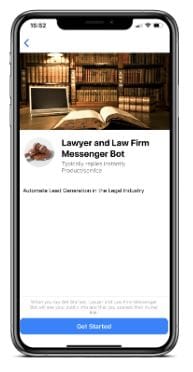

Step #2Bonus Markering System Chatbot

Step #3Bonus Affiliate Delivery System
A BONUS Delivery system specifically structured for maximum conversions.
CLICK HEREto get access to the Affiliate Marketing System
Step #4Final Step!

Get advice, assistance and additional templates
& Resources for your business venture.
Recommended Lead Magnet Resources

EXTRA SUPER BONUS: Advantage Small Business Legal Bundle

Is Your Business @ Risk?
Are you making any of the Top 10 Small Business Legal Mistakes?
Find Out If You Are Making this common "Business Building" Mistake?
Get Systeme.io for Free
Systeme.io is the only tool you need to launch your online business.